Browser
Chrome, Edge, Brave, Opera, Firefox or Safari 15+. Hardware acceleration on, which is the default.
The WazBee play online client is not a cut-down version of anything. It is the full lobby, the full live floor and the full sportsbook running in a browser tab, with no installer, no store approval and no update cycle to wait on.
18+ only. Play responsibly.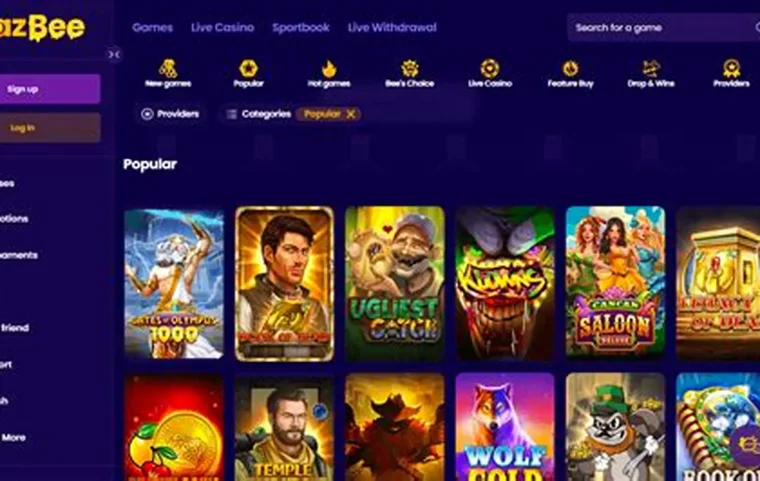
The browser route removes three points of friction. There is no APK to sideload and no permission prompt to accept. There is no version drift, because the server always serves current code. And there is nothing on the device afterwards — closing the tab ends the session, which matters if you share a computer or want a clean phone. The trade is push notifications and a slightly slower cold start, both of which the download page covers.
| Capability | Browser | App |
|---|---|---|
| Full game lobby | Yes | Yes |
| Live dealer streams | Yes | Yes |
| Sportsbook | Yes | Yes |
| Deposits and withdrawals | Yes | Yes |
| Push notifications | Limited | Yes |
| Cold start time | 2–4 seconds | Under 2 seconds |
| Storage used | Cache only | ~28 MB |
| Biometric sign-in | Passkey supported | Yes |
Chrome, Edge, Brave, Opera, Firefox or Safari 15+. Hardware acceleration on, which is the default.
2 Mbps is enough for slots. Live tables want 5 Mbps for the top stream tier, and the player steps down automatically below that.
One login covers browser, mobile and app. Balance and bonus state are server-side.
The same code serves both, but the experience differs in ways worth knowing before you pick a device for a long session. Desktop gives you the full sidebar, the search field and the category hexagons on one screen, which makes browsing a six-thousand title lobby genuinely faster. Mobile collapses the sidebar behind a menu and reflows the game grid to two columns, which is fine for playing a title you already know and slow for exploring.
Live tables are the clearest split. On desktop the stream sits alongside the betting layout and the statistics panel, so you can watch the road maps on baccarat or the hot numbers on roulette without switching views. On a phone those panels stack, and the stream shrinks whenever the betting grid is open. Neither is worse mathematically, but a player who reads statistics will prefer the desktop layout, and someone playing a five-minute session on a commute will not care.
The practical routine most regular players settle on is a mixed one: browse and manage the account on desktop, then play the shortlist on a phone. Because there is nothing to install on either side, the switch costs a sign-in and nothing else. If you would rather have a launcher icon and push alerts on the phone half of that routine, the app covers it.
| Symptom | Likely cause | Fix |
|---|---|---|
| Game tile spins forever | Blocked iframe or stale cache | Disable the blocker on this domain, then hard reload |
| Live stream stutters | Hardware acceleration off | Enable it in browser settings and restart the browser |
| Signed out repeatedly | Third-party cookies blocked | Allow cookies for the site, or stop using private mode |
| Balance looks wrong after a drop | Client showing a stale value | Reload — the server result is authoritative and already applied |
| Lobby will not open at all | Regional restriction | Check availability in your jurisdiction; a VPN breaches the terms |
One warning worth stating directly: using a VPN to reach a blocked jurisdiction violates the terms and is the fastest way to have a withdrawal refused during the compliance check. The verification step compares your documents against the country on the account, and a mismatch stops the payout, not the deposit.
Yes. The browser client is the full product — the same lobby, the same account, the same live tables. Nothing is installed, and updates arrive the moment you reload the page rather than through an app store.
Any Chromium build from the last three years, Firefox, Safari 15 or newer, and Edge. Chromium engines handle the live streams most efficiently. Private browsing works but clears the session, so you will sign in again each time.
Slots consume roughly 40 MB per hour once assets are cached. Live dealer tables run about 250 MB per hour at full resolution and around 90 MB per hour if you drop the stream quality, which the player control allows mid-session.
Yes. Offers, wagering progress, tournament entry and VIP tier are properties of the account, not of the client. Playing in a browser instead of the app changes nothing about eligibility.
The round is resolved on the server. Reload the game and the result is already applied to your balance. On live tables an unfinished hand is settled according to the table rules published in the game help panel.